Verify Lender Math: Mortgage Payment Formula, Hand, Excel & Global Rates
2026-10-02

The standard formula lenders use is M = P times [r(1 + r)^n divided by ((1 + r)^n minus 1)], and it returns your monthly principal and interest payment, nothing more. It excludes property taxes, homeowners insurance, and PMI, which many lenders fold into the same bill. A full worked example and a spreadsheet version follow below so you can check your own numbers line by line.
TL;DR:
- Accurate calculations require using the proper monthly interest rate, total number of payments, and correct sign conventions in spreadsheets or manual formulas.
- Extra payments toward principal reduce total interest paid and shorten the loan duration, with early payments having the most substantial effect.
- Adjustable-rate, interest-only, and balloon loans invalidate the standard fixed-rate formula, so an amortization schedule is necessary for these types.
- Verifying calculations by hand or with spreadsheets helps prevent errors from rate misapplication or sign mistakes, ensuring precise understanding of total costs.
Table of Contents
- Breaking down the formula and its variables
- A step-by-step worked example you can check by hand
- Using Excel or Google Sheets to verify the same payment
- Why early payments are mostly interest, and how to total it up
- Common calculation mistakes and how to catch them
- When the standard formula does not apply
- How Fiatmap supports verification: tools, glossary, and datasets
- Why manual verification protects borrowers
- Compare mortgage costs across borders with Fiatmap
- FAQ
- Sources
Breaking down the formula and its variables
The formula has two mathematically identical forms. The one most calculators show is:
M = P · [r(1 + r)^n / ((1 + r)^n − 1)]
You will also see it written with a negative exponent, M = P · r / (1 − (1 + r)^(−n)), which gives the same result through different algebra. Both versions come from the annuity-based derivation that treats a mortgage as a series of equal payments discounted at a fixed periodic rate.
Each symbol has a specific meaning, and mixing up the units is the single most common source of a wrong answer:
- P is the loan principal, the amount you actually borrow, not the home’s purchase price.
- r is the monthly interest rate, found by dividing the annual nominal rate by 12. A 7% annual rate becomes 0.07 / 12, or about 0.005833.
- n is the total number of monthly payments, calculated as the loan term in years multiplied by 12. A 30-year loan has 360 payments.
When r equals 0, the formula divides by zero and breaks down. In that rare case the payment is simply P divided by n, since no interest accrues at all. For everyday use, carry at least six decimal places on the monthly rate before rounding the final payment to the cent, since rounding too early can throw the result off by a few dollars. Before you calculate anything, confirm you are using the nominal periodic rate your lender quotes, not an APR that bundles in fees.
A step-by-step worked example you can check by hand
Convert the annual rate to a monthly rate: 0.07 / 12 = 0.0058333. Convert the term to months: 30 × 12 = 360.
Next, compute (1 + r)^n: (1.0058333)^360 ≈ 8.1164. Plug that into the formula:
M = 300,000 × [0.0058333 × 8.1164 / (8.1164 − 1)] M = 300,000 × [0.047346 / 7.1164] M = 300,000 × 0.0066512 M ≈ $1,995.91
That figure matches the kind of result public mortgage calculators return. The Illinois Department of Financial and Professional Regulation’s calculator shows a smaller loan, $100,000 at 6% over 30 years, landing just under $600 a month, confirming the same formula behaves consistently across loan sizes.

You can multiply the monthly payment by the total number of payments to find the total amount paid over the loan term. Subtracting the principal from that total gives the total interest paid over the life of the loan.
Here is how the first three payments break down:
| Payment | Interest portion | Principal portion | Remaining balance |
|---|---|---|---|
| 1 | $1,750.00 | $245.91 | $299,754.09 |
| 2 | $1,748.57 | $247.34 | $299,506.75 |
| 3 | $1,747.13 | $248.78 | $299,257.97 |
Notice how little of the early payments touches the principal. That pattern is the core of amortization.
Using Excel or Google Sheets to verify the same payment
Spreadsheets skip the exponent math entirely through a built-in function. Microsoft’s PMT documentation defines the syntax as PMT(rate, nper, pv), and both Excel and Google Sheets use the same arguments.
- rate: the annual rate divided by 12, so 7% becomes 0.07/12.
- nper: total number of payments, or years times 12, giving 360 for a 30-year loan.
- pv: the loan amount, entered as a negative number so PMT returns a positive payment.
Typing =PMT(0.07/12, 360, -300000) returns $1,995.91, matching the manual calculation above exactly. Two optional arguments, fv and type, rarely matter for a standard mortgage: fv assumes a zero ending balance unless you specify otherwise, and type controls whether payments post at the start or end of the period. If your spreadsheet result does not match your hand calculation, check the sign on pv first.
Why early payments are mostly interest, and how to total it up
Amortization follows a simple rule each month: the interest portion equals the monthly rate times the remaining balance, and the principal portion is whatever is left of the payment after that. Early on, the balance is large, so interest eats most of the payment. As the balance shrinks, the split flips toward principal.
The total interest formula is I = cN minus P, where c is the monthly payment, N is the number of payments, and P is the original principal. That is exactly the arithmetic used in the worked example above.
Paying extra toward principal shortens the loan and cuts total interest, because every extra dollar stops accruing interest immediately rather than over the remaining term. The CFPB notes that amortization concentrates interest early, which is exactly why extra payments made sooner have an outsized effect compared with the same extra payment made later in the loan.
A few things worth keeping in mind:
- Extra principal payments reduce the balance the next month’s interest is calculated on.
- The savings compound over the remaining term, not just the month the extra payment is made.
- A lender’s amortization schedule should show the same interest and principal split you calculate by hand.
Pro Tip: Recompute just the first three rows of your amortization schedule by hand. If they match your statement, the rest of the schedule almost certainly does too.
Common calculation mistakes and how to catch them
Most errors trace back to one of three things: a rate that was never converted to monthly terms, a payment count that does not match the loan term, or a sign error in a spreadsheet function.
- Confirm you divided the annual rate by 12, not used the annual rate directly.
- Confirm your payment count equals years multiplied by 12, not just the number of years.
- Check the sign convention in PMT, since a positive pv returns a negative payment and confuses the comparison.
- Verify whether your lender’s quoted figure includes escrow for taxes and insurance, since that number will be higher than the pure P&I formula produces.
Confusing APR with the nominal rate is a particularly common trap, since APR can bundle in fees that the payment formula does not use.
Pro Tip: Run the same loan through a manual calculation, a spreadsheet PMT formula, and your lender’s amortization schedule. If all three agree within a few cents, your numbers are solid.
When the standard formula does not apply
The annuity formula assumes a fixed rate and a fixed payment for the life of the loan, so it breaks down for a few common products. Adjustable-rate mortgages change r after an initial period, interest-only loans skip principal reduction entirely for a stretch, and balloon loans leave a large unpaid balance due at the end of the term.
- ARMs: the rate resets periodically, so the formula only holds for each fixed-rate segment.
- Interest-only loans: payments cover interest alone for a set period, with no principal reduction, a distinction worth understanding before comparing interest-only against principal-and-interest structures.
- Balloon loans: regular payments are smaller, but a large lump sum is due at the end.
For any of these, ask your lender for a full amortization schedule rather than trying to force the standard formula to fit.
How Fiatmap supports verification: tools, glossary, and datasets
Checking a lender’s number by hand is useful, but comparing rates across markets is where a single calculation stops being enough. Fiatmap’s glossary entry on mortgage rates walks through the underlying definitions with explanations sourced from official statistics, which helps when you want to confirm what rate figure you are actually plugging into r.
- The mortgage rate rankings let you pull a current rate for a given country as an input for the formula above.
- The Global Money Dataset is downloadable for anyone who wants to run the same calculation across many countries or loan sizes at once.
- Interactive tools including a mortgage calculator provide ways to test inputs without rebuilding the formula each time.
Why manual verification protects borrowers
Running the math yourself catches typos, misquoted rates, and lender errors before they cost you money. It also keeps you focused on total cost across offers, not just the monthly number, since a lower payment over a longer term can mean far more interest paid overall.
— Torstein
Compare mortgage costs across borders with Fiatmap
Once you can calculate a payment by hand, the next useful question is how that same loan would look somewhere else. Fiatmap’s mortgage rate rankings and its glossary on mortgage rates pull from official statistics across 128 countries, so you are comparing real reported figures rather than guesswork from marketing pages.
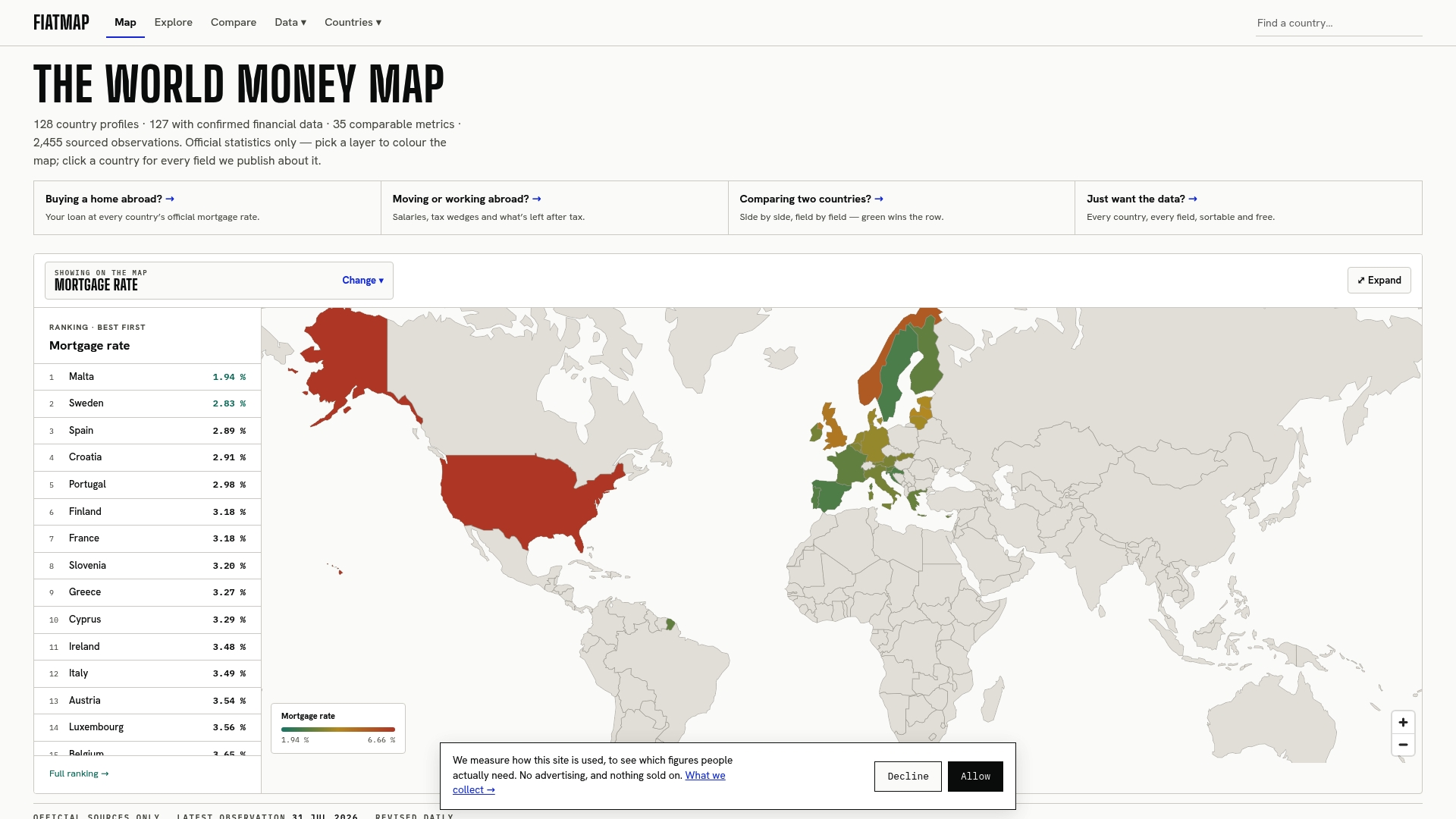
Try plugging the $300,000, 7%, 30-year example from earlier into Fiatmap’s mortgage calculator and then swap in a rate from another country’s ranking to see how much the same loan size would cost elsewhere. If you need the raw numbers for a side-by-side spreadsheet, the Global Money Dataset is free to download and sourced entirely from official statistics.
This article is general information, not a substitute for advice from a qualified financial advisor. Consult a qualified financial professional about your own circumstances before acting on anything here.
FAQ
How much is a $400,000 mortgage at 7%?
Using the formula with P = $400,000, r = 0.07/12, and n = 360 for a 30-year term gives a monthly principal and interest payment based on the standard payment formula. That figure excludes taxes, insurance, and PMI, which a lender may add to the total bill.
What is the 3 7 3 rule for a mortgage?
This is not a standard term defined by the formula or sources referenced in this guide, and definitions of informal rules like this vary widely online. Rather than rely on an unverified rule, use the payment formula directly or confirm terms with your lender.
What happens if I pay an extra $200 a month on my 30-year loan?
Extra principal payments reduce the balance that future interest is calculated against, which shortens the loan term and lowers total interest paid, as described in CFPB guidance on paying down a mortgage. The exact savings depend on your rate, remaining balance, and how early in the loan you start paying extra.
What is the monthly payment on a $300,000 mortgage at 7% for 30 years?
Using the formula with P = $300,000, r = 0.07/12, and n = 360, the monthly principal and interest payment comes to about $1,995.91, as shown in the worked example above. That matches the result from entering the same figures into a spreadsheet’s PMT function.
Sources
- Consumer Financial Protection Bureau — How do mortgage lenders calculate monthly payments?
- PMT function | Microsoft Support
- Mortgage calculator — Wikipedia
- Basic Mortgage Payment Calculator — Illinois DFPR
Recommended
The figures on this site are collected from official statistics and each carries its own source and date — see /sources and the dataset. Where this article states a number, the country and ranking pages are what it should agree with.